Getting started
Any Actor is supported, not only Character, as long as it owns a Skeletal Mesh Component. That mesh is the target of the system.
Locate your Character class
In this example a new Character class is used:
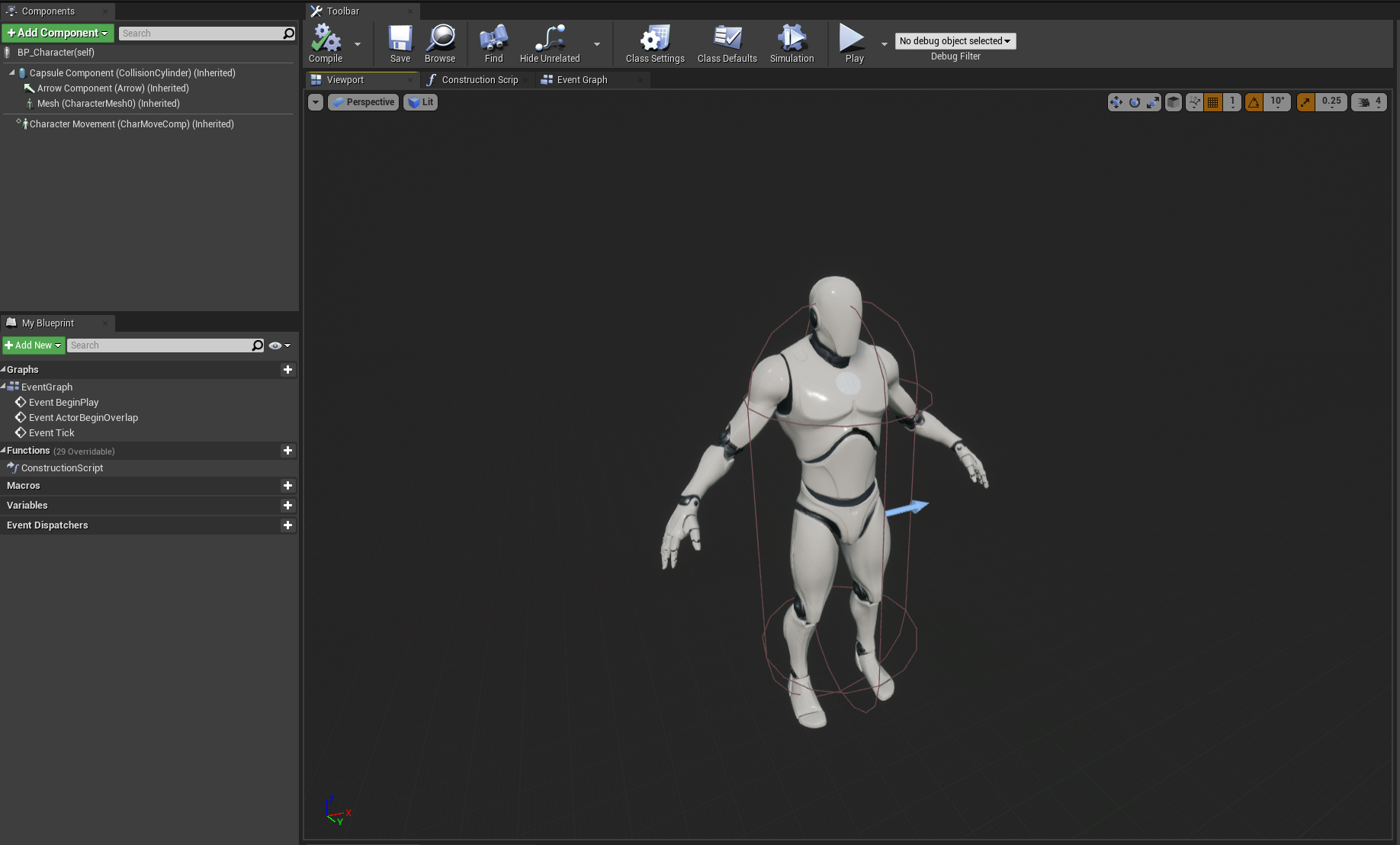
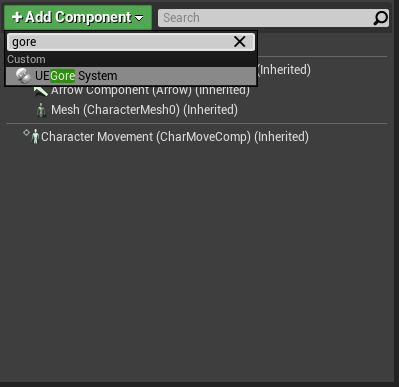
Add the GoreSystemComponent
Add GoreSystemComponent like any other Actor Component.
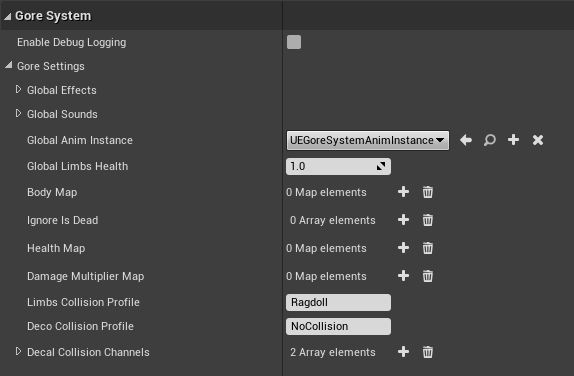
On the component:
- Open Gore Settings.
- Add every detachable bone to Body Map. Names must match the skeleton.
- Set Global Anim Instance to a subclass of
UEGoreSystemAnimInstance(examples for the UE4 mannequin and MetaHuman ship with the plugin, or create your own). - Assign Global Effects and Global Sounds.
- Make sure the skeletal mesh has a Physics Asset. You can override it with Default Physics Asset.
Full property list: Fill the Data Structure.
[Optional] Initialize GoreSystemComponent
On Begin Play the component finds the first SkeletalMeshComponent on the owner. Call Init yourself if:
- the actor has several skeletal meshes and you need a specific one
- the mesh is created later (Lyra cosmetics, modular characters)
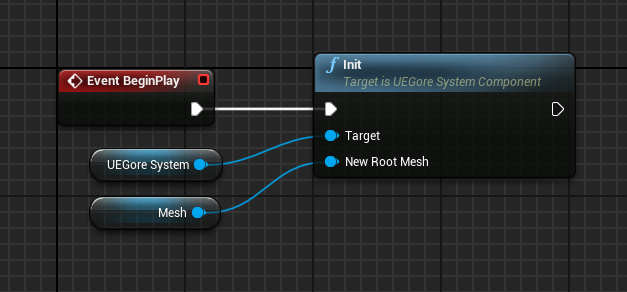
If the visible mesh is not the one Init found (Lyra cosmetics), also call SetVisualMeshComponent. See Lyra.
UEGoreSystemHit
Almost every gameplay call takes a Gore System Hit:
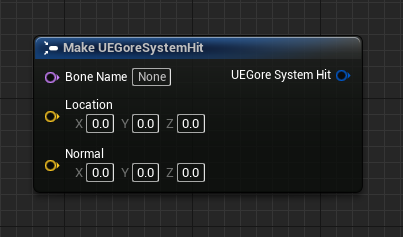
| Field | Meaning |
|---|---|
| Bone Name | Bone you are damaging. Must exist in Body Map. |
| Location | World position of the impact (FX and impulse origin). |
| Normal | Surface / impact normal. Impulse is applied along this direction. |
Fill it from a line trace, a HitResult on a projectile, or a melee overlap. The plugin does not trace for you.
Apply Gore Damage
Apply Gore Damage is the main function you should use to handle damage to the character.
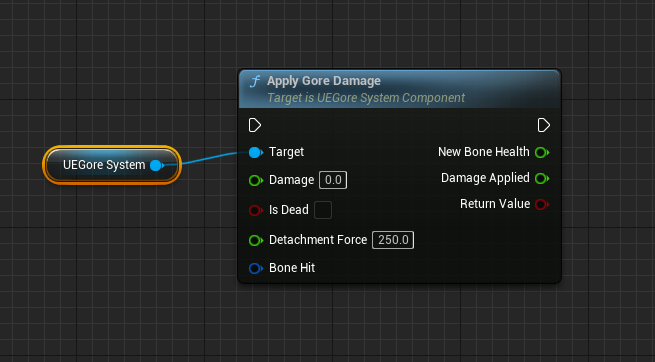
Inputs
| Pin | Role |
|---|---|
| Damage | Base damage. Multiplied by Damage Multiplier Map if that bone has an entry. |
| Is Dead | Pass true when the character is allowed to lose limbs. Your game owns this flag. |
| Detachment Force | Impulse magnitude applied to the limb when it detaches. Direction comes from Normal. |
| Bone Hit | The struct above. |
Outputs
| Pin | Role |
|---|---|
| New Bone Health | Health after this hit: Current − (Damage × Multiplier). |
| Damage Applied | Damage × Multiplier. |
| Return Value | false if the bone is not in Body Map |
When does a limb actually detach?
All of these must be true:
ApplyGoreDamagereturnedtrue(bone is in Body Map and took damage).- New Bone Health ≤ 0.
- Is Dead is
true, or the bone is listed in Ignore Is Dead (hands, ears, etc.).
Per-bone health overrides live in Health Map. Default health is Global Limbs Health.
Other calls you will use
Destroy Bone / Destroy Bones
Force a detach right now. Health is ignored. FX still play.
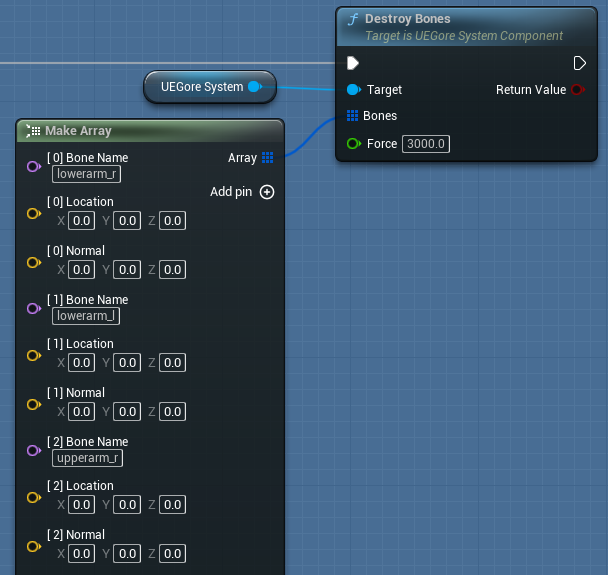
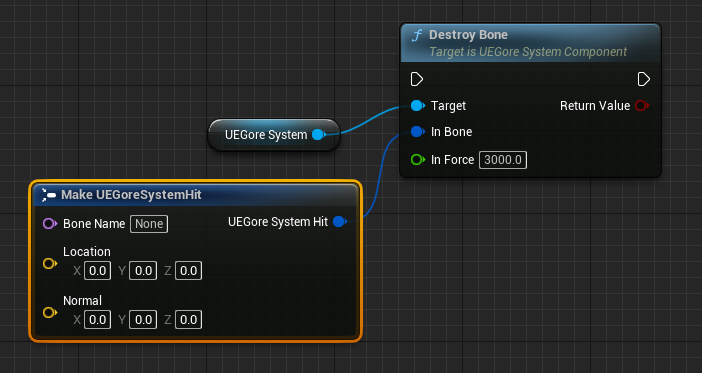
Use this for scripted kills, finishers, or cheats. Destroy Bones returns false if nothing could be detached.
On Bone Broken
Event dispatcher. Fires every time a bone is broken and returns its name.
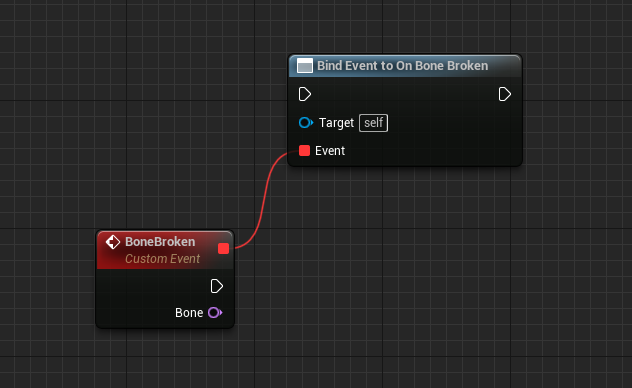
Minimal Blueprint graph
On your projectile / trace:
- Get the hit actor → get UEGoreSystem.
- Make Gore System Hit from
Hit Bone Name,Impact Point,Impact Normal. - Call Apply Gore Damage with your damage,
Is Deadfrom your health component, and a force (try3000first). - Optionally bind On Bone Broken to play a camera shake or drop a weapon.
That is the whole gameplay loop. Everything else is data on the component.
Next
- Fill Gore Settings
- Limb AnimBP if you are not on the UE4 / MetaHuman skeletons
- Auto dismemberment if the mesh is not pre-cut into pieces